
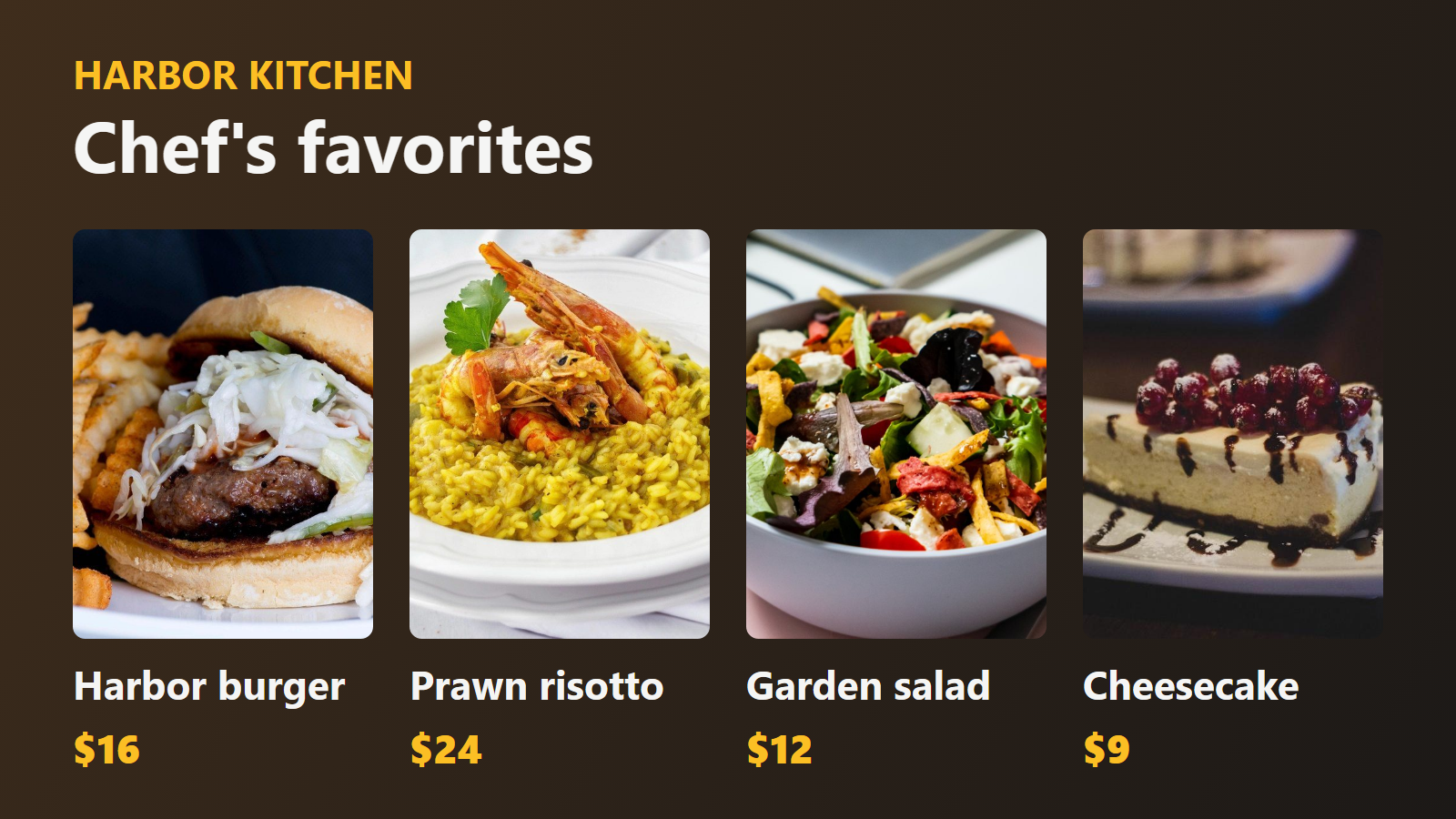
Menu boards you update in seconds, not with a label maker.
Printed menu boards go stale the moment a price changes or an item sells out. A digital menu board fixes that — but most digital signage means clunky software, a dedicated player, and a bill that grows with every display. PingBell makes it simple: upload the menu art you already have, rotate your boards and specials in a channel, and cast it to the TVs over the counter. Change a price in the web app and every screen updates live.
No designer, no media player. Just the TV you already have and the menu you already designed.
Who this is for
- Cafes and coffee shops rotating a drink menu, pastry case, and daily specials.
- Quick-service and fast-casual spots running multiple boards above the counter.
- Bars and taprooms posting the tap list, cocktails, and tonight’s events.
- Food halls and ghost kitchens giving each concept its own board.
- Food trucks that want a bright, legible menu on a single screen.
How PingBell solves it
Your menu is the background. Upload the artwork you already have — a full board, a single category, a seasonal promo — and it fills the screen edge to edge. No rebuilding your menu inside someone else’s template.
Rotate a channel. Sequence several boards into a channel that cycles on a timer: drinks, then food, then today’s specials, then hours. Set how long each board holds. One TV does the work of three printed signs.
A marquee for specials. Add a scrolling marquee for the line that changes most — “Today only: pumpkin cold brew” — plus a clock if you want it. The marquee, clock, and weather blocks are included on Plus and Pro.
Native TV apps. Install PingBell on the TV above the counter from its app store (Apple TV, Fire TV, Android TV, or Roku). It shows a short pairing code — enter it on the Screens page at my.pingbell.io (or scan the QR). Done.
Change a price in seconds. Edit the board in the PingBell web app on a computer and every paired screen updates instantly — no reprinting, no climbing up to swap a sign.
Flat price per workspace. Run one board or six. Pair up to 50 screens on Plus, 200 on Team.
Setup in 5 minutes
- Upload your menu art as the background for each board.
- Add a marquee for specials and a clock if you want one; style each board.
- Sequence the boards into a channel and set a dwell time per slide.
- Pair the TV — install the app on the TV; it shows a short pairing code you enter on the Screens page at my.pingbell.io (or scan the QR).
- Cast the channel. Update a price or a special anytime from the web app.
Pricing for this use case
A single location running one rotating menu channel fits on the Plus plan at $50/mo (billed annually; $75 month-to-month) — one channel, plus the marquee, clock, and weather blocks. Operators who want a separate channel per concept, per location, or per screen group want Team at $200/mo (billed annually; $300 month-to-month) with unlimited channels. A single templated menu board with no rotation can run on Core at $20/mo (billed annually; $30 month-to-month).
you can pair up to 50 screens on Plus and 200 on Team, every native TV and mobile app. See the full pricing page.
FAQ
Do I need a designer to make the boards?
No. Upload the menu artwork you already have, or start from a photo or a solid color. The image fills the screen as-is.
How do I change a price or 86 an item?
Edit the board in the PingBell web app on a computer. Every paired screen updates live — no reprinting and nothing to refresh on the TV.
Can it scroll today’s specials?
Yes. Add a marquee block (included on Plus and Pro) for a line of auto-scrolling text. Today you set the marquee text in the editor; pulling it automatically from a Google Sheet is on our roadmap.
Can one TV cycle through several boards?
Yes. Sequence your boards into a channel and set how long each one holds. The screen rotates through them on a timer. To swap an entire menu at a daypart, change which board or channel the screen is showing from the web app.
How many screens can I run?
As many as you want. You can pair up to 50 screens on Plus and 200 on Team.
Get started
Start a free 7-day trial. Upload your menu, pair the TV over the counter, and never reprint a board again.