
Connect. Design. Build. Pair.
Four steps from a blank account to a screen on the wall — and two of them are optional. Static signage skips the source; a single board skips the channel. Most people are live in about 10 minutes.
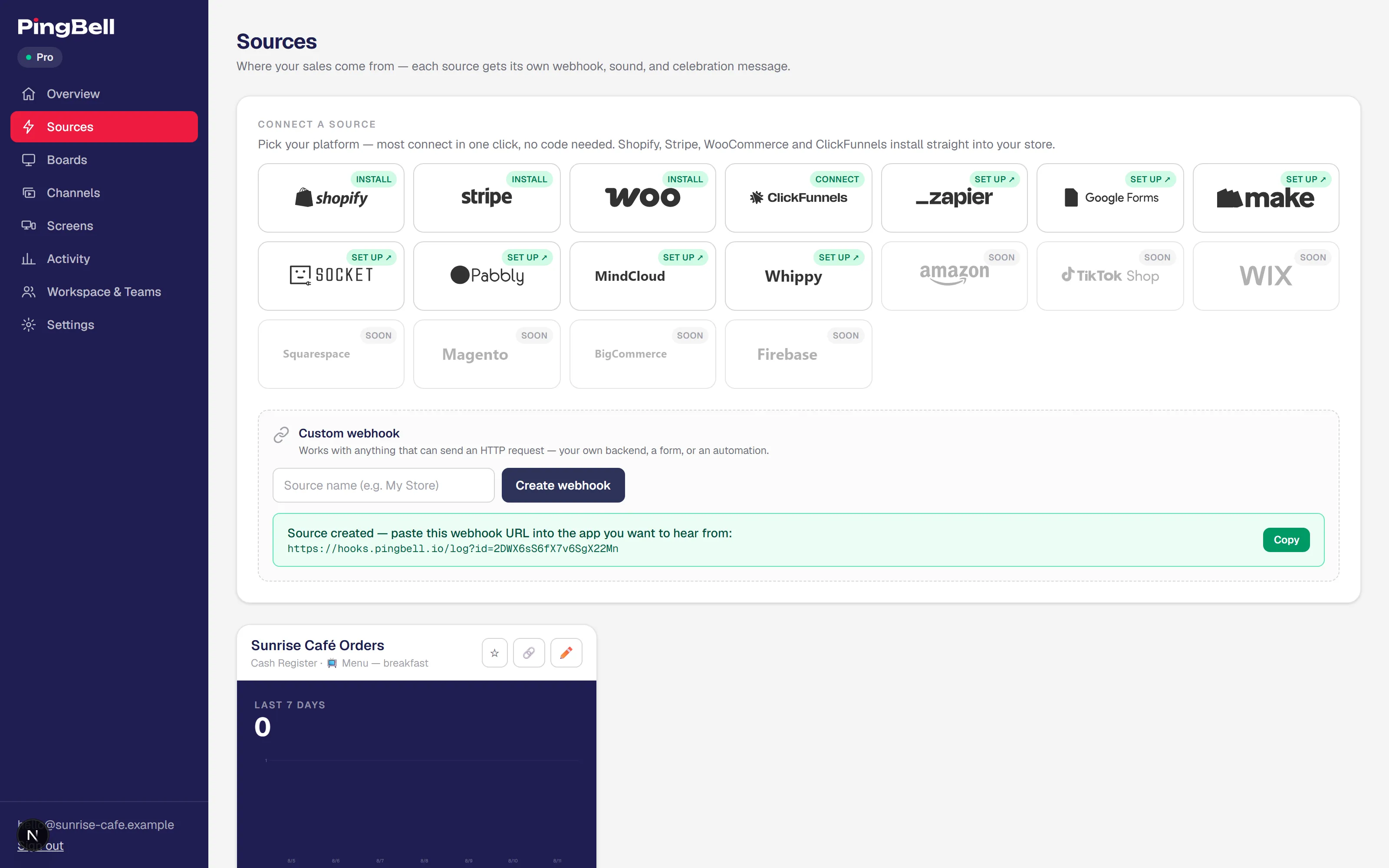
Connect a source
A source is where your live numbers come from — your store, your payment processor, a form, anything that can send an event. Connect one and every sale, signup, or donation flows to your boards the moment it happens. Building static signage — a menu, a welcome board? Skip this step entirely.
One-click apps
Shopify, Stripe, WooCommerce, ClickFunnels, and Google Forms. Install the app, authenticate, pick the event. No code.
Zapier, Make, Pabbly, viaSocket
Kajabi, Calendly, Skool, HubSpot — 9,000+ apps connect through any of these platforms. If you can trigger it in a Zap, you can put it on a screen.
Plain webhook
Every source gets a unique URL. POST JSON to it and PingBell counts it, graphs it, and rings the bell. Ideal for your own backend or scripts.
Design a board
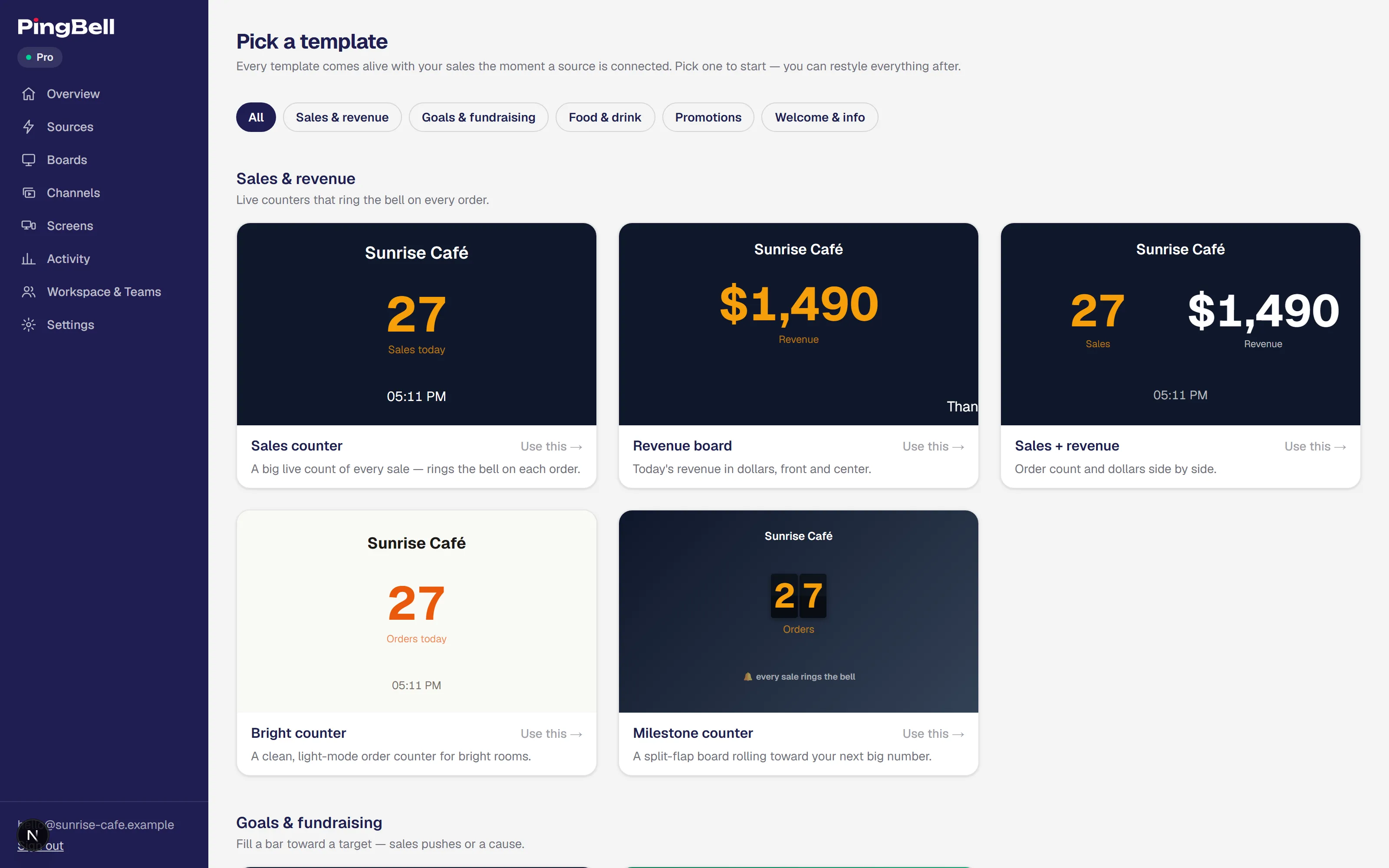
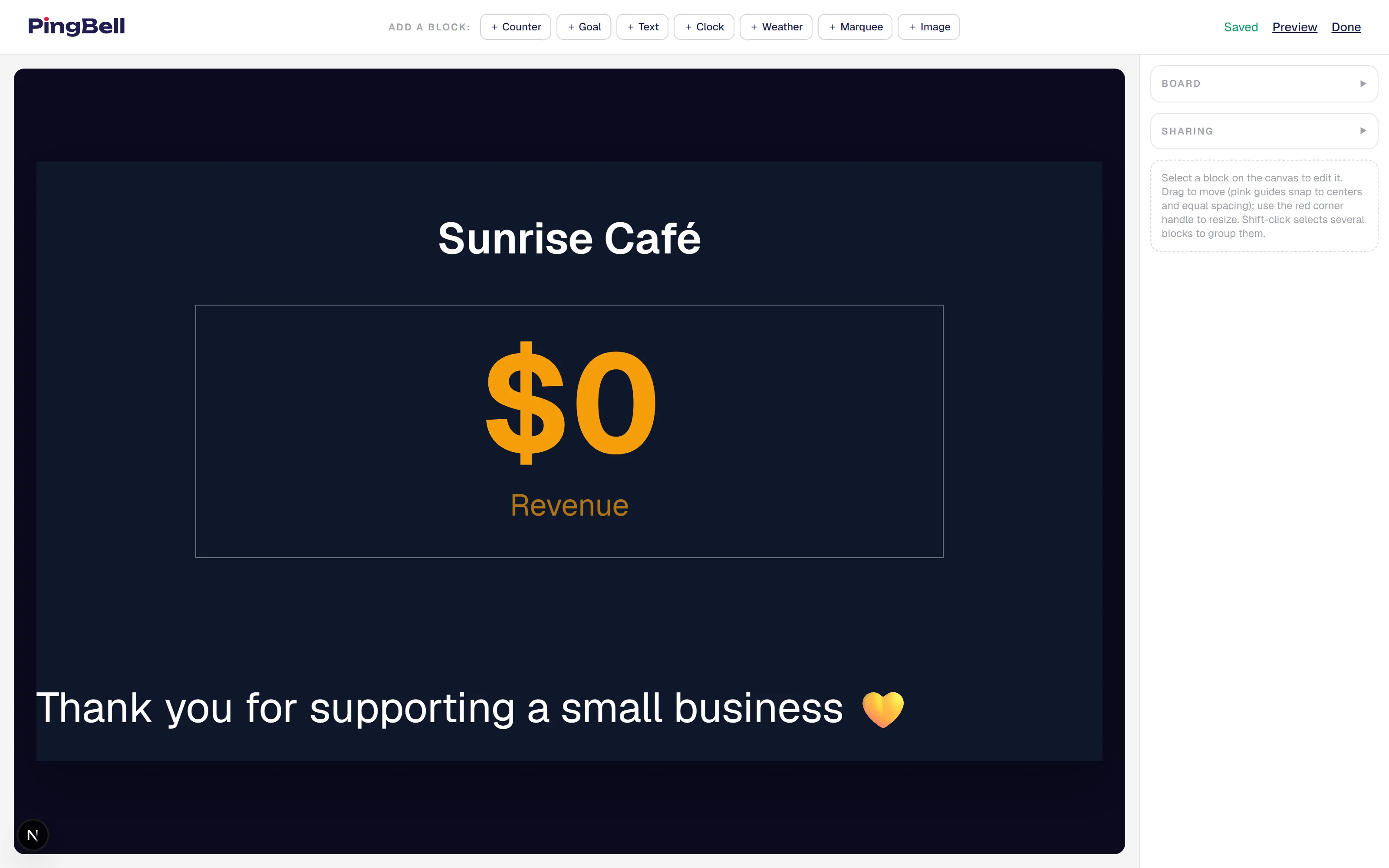
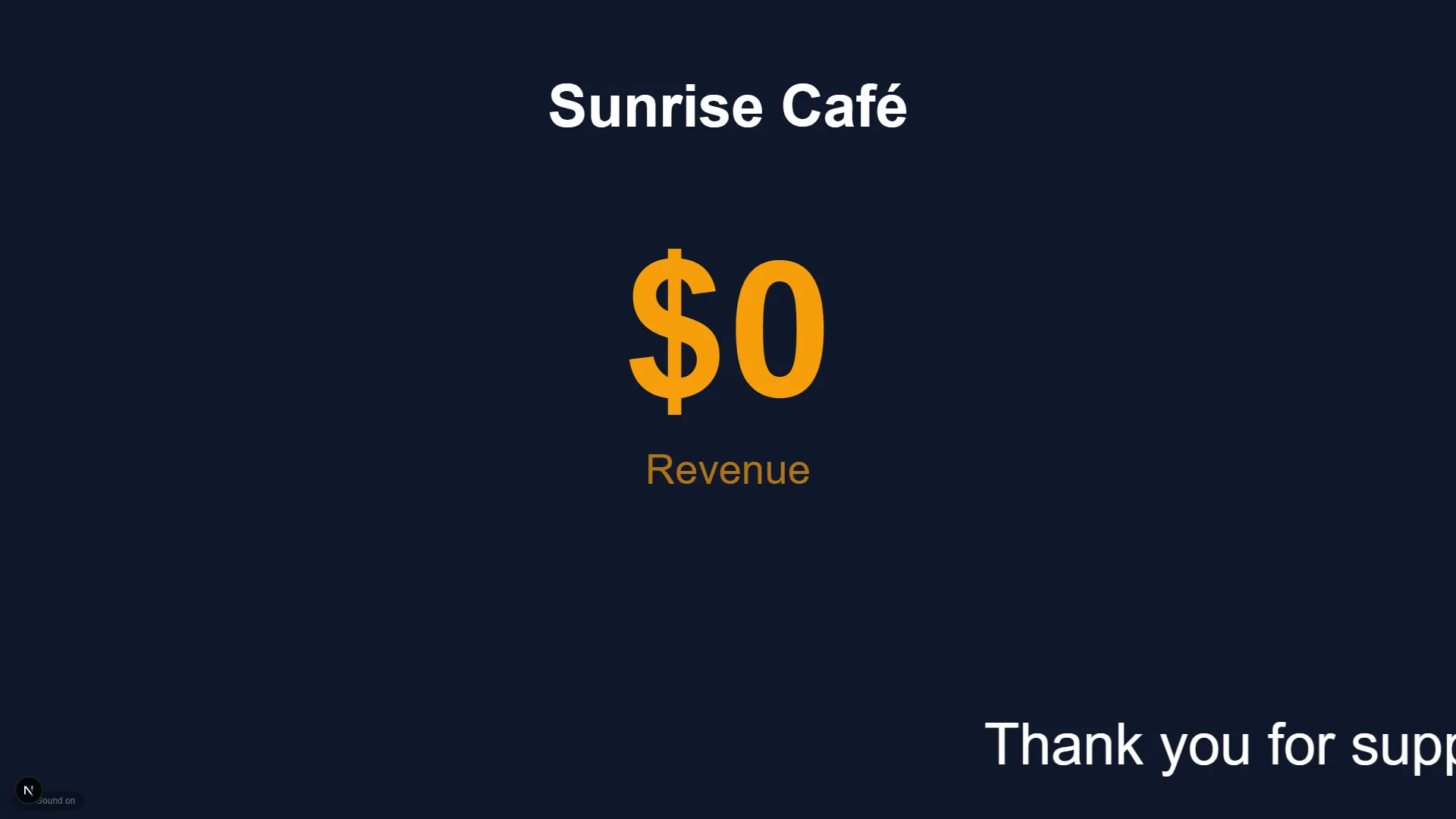
A board is one screenful — a menu, a counter, a promo, a welcome message. Start from a template and make it yours, or build from a blank canvas: counters, text, clock, weather, marquee, and image blocks, with your background and your brand. Already design in Canva? Connect it from the editor and any design becomes a board background in one click — edit it in Canva, hit Refresh, every screen follows. Every change previews instantly.
Build a channel
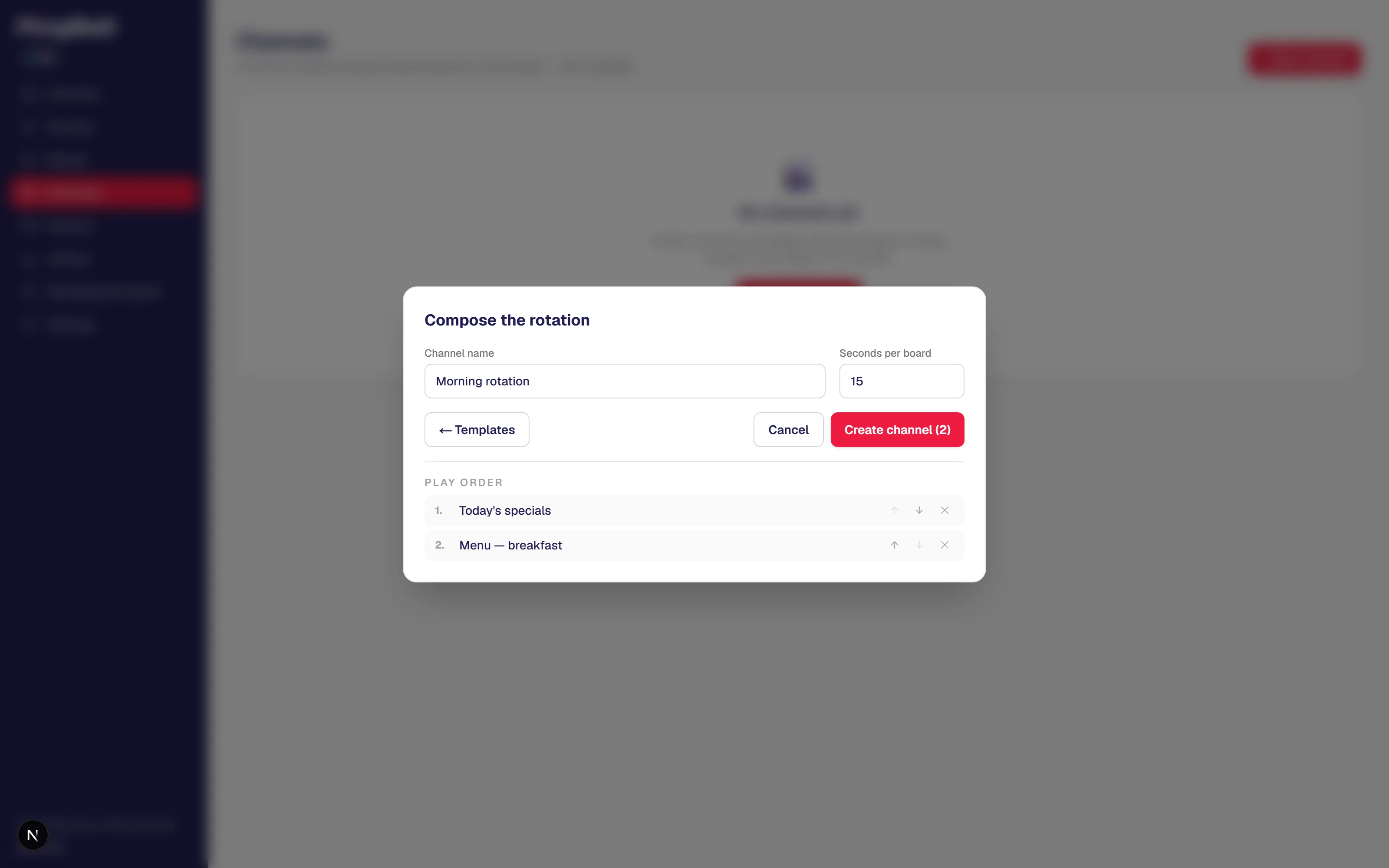
A channel is a playlist of boards that rotates on a timer — menu, then specials, then the weather, then back around. Pick the boards, set the order, choose how many seconds each one holds. One TV can carry your whole message. Just one board? Cast it directly — a channel is optional.
Pair a screen
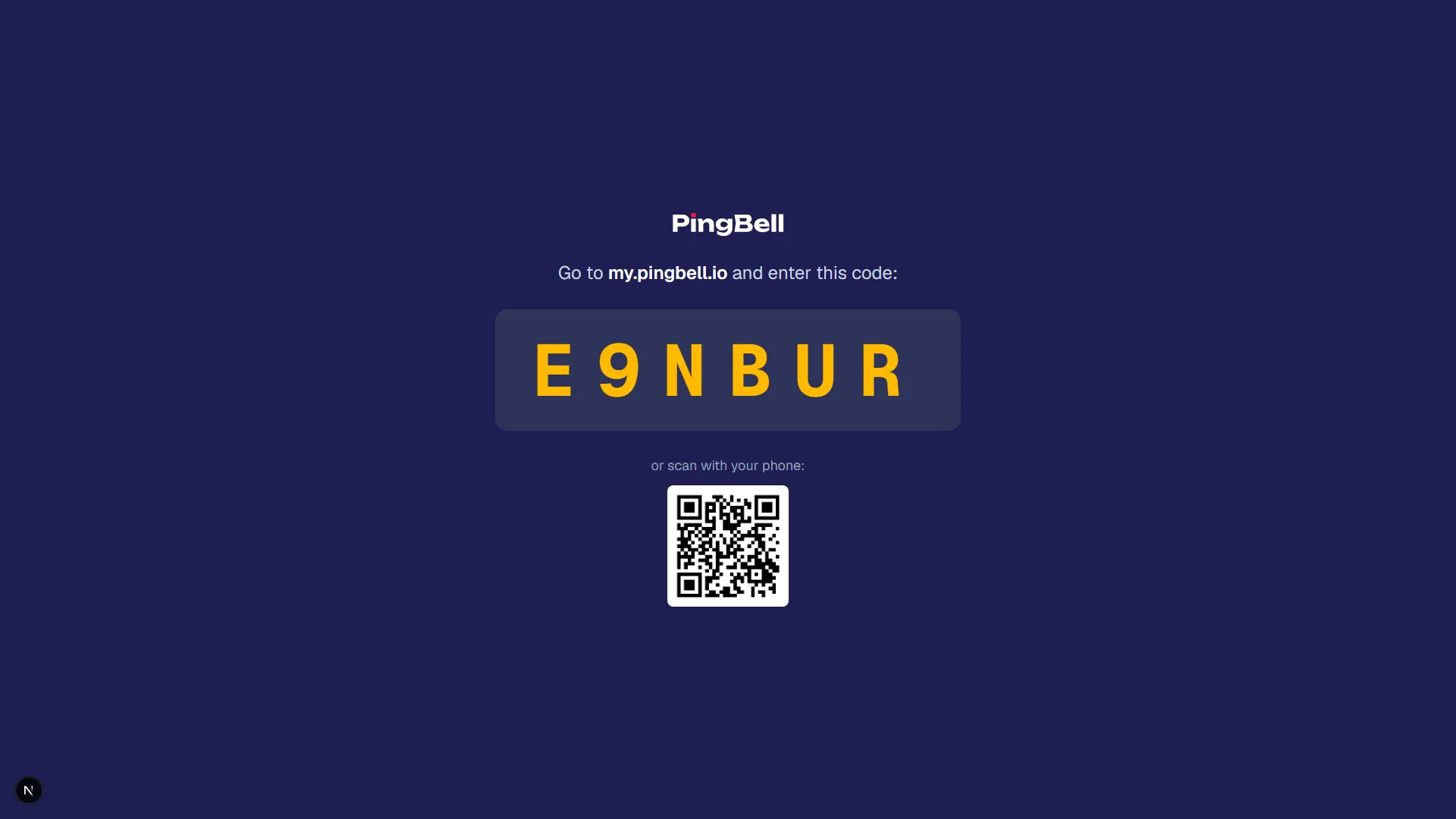
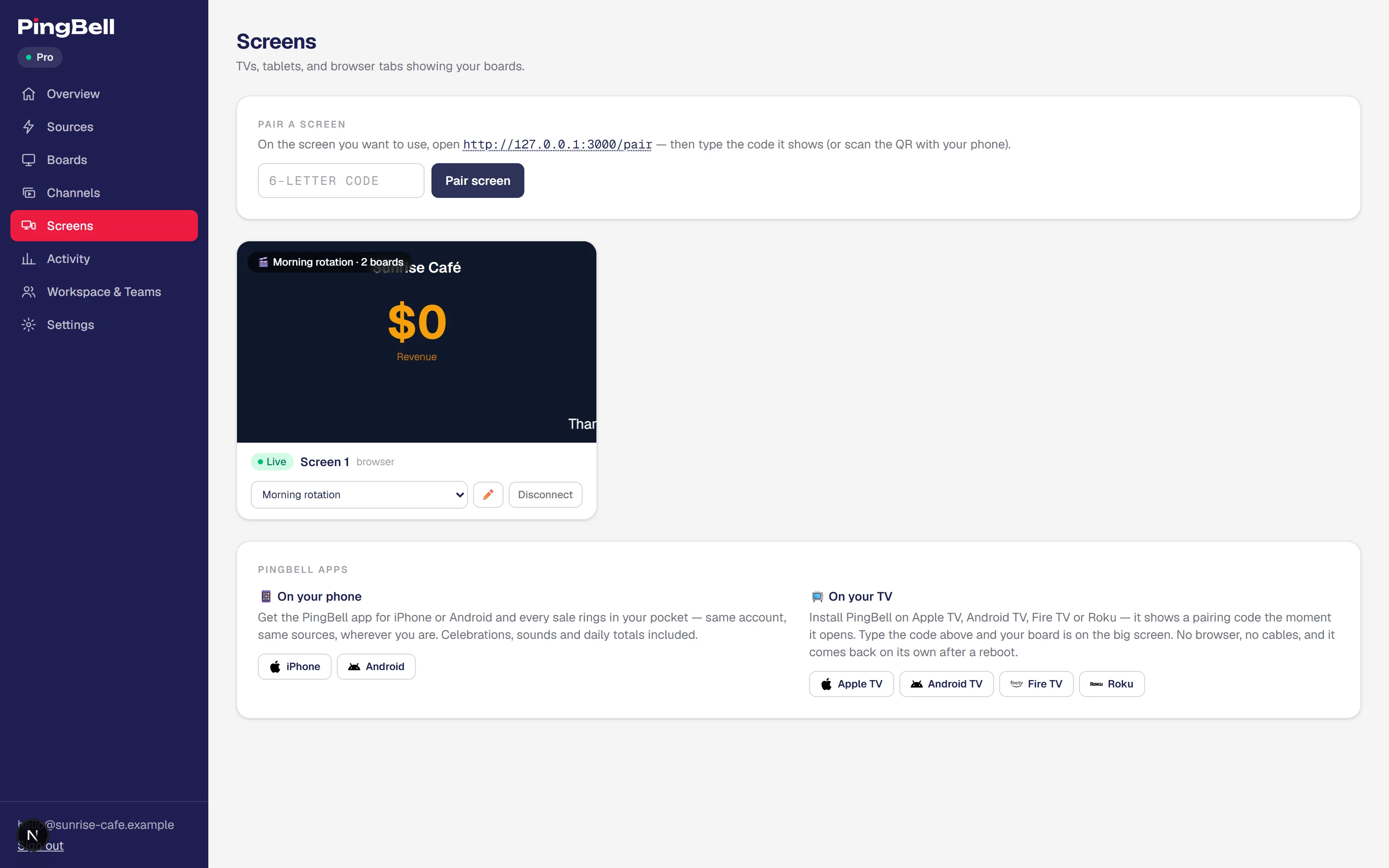
A screen is any TV, monitor, tablet, or browser tab paired to your account. Open the PingBell app on the TV — it shows a six-character code. Type that code into your Screens page (or scan the QR), assign a board or channel, and the wall lights up.
TV apps
Roku, Fire TV, Android TV, Apple TV. A streaming stick or the smart TV you already own runs your boards on the wall all day.
Mobile apps
iOS and Android apps that ring with push notifications on the team's phones — and pair TVs to your account in seconds.
Any browser
Every board and channel has its own URL. Open it in a browser tab on any monitor, tablet, or projector — that screen is now signage.
Three real setups
Menu board you update from the back office
- 1 Design a menu board — your artwork as the background, prices as text blocks
- 2 Add a marquee for today's specials and a clock in the corner
- 3 Cast it to the TV above the counter
- 4 Change a price in the web app — every screen updates live
A lobby channel that rotates all day
- 1 Build a few boards — welcome message, weather, pool hours, dinner specials
- 2 Group them into a channel and set how long each board holds
- 3 Pair the lobby TV and cast the channel
- 4 Edit any board in the web app and every paired screen updates — without touching the TV
Live sales counter on the office TV
- 1 Install the PingBell Shopify app — your store becomes a source in one click
- 2 Style the counter board for the number you care about
- 3 Cast it to the TV behind your desk
- 4 Every order ticks the counter, rings a bell, and fires the confetti
Questions people actually ask
Can I upload my own image as the background?
Yes. Each board can use any image you upload as a full-screen background — a menu, brand artwork, a product shot, a seasonal graphic. Layer blocks on top, or leave it as a clean static slide. Swap the image any time and every paired screen updates instantly.
Does a board always need a live data source?
No. A board can be pure signage — a menu, a welcome board, opening hours — with no source attached. Add blocks like a clock, weather, or a scrolling marquee, and on Plus and Pro you can group several boards into a channel that rotates on a timer.
How long does setup actually take?
A static signage board can be on a screen in a few minutes — design it, pair a TV, cast. If you want a live counter from a one-click app (Shopify, Stripe, Google Forms), budget about 10 minutes from sign-up. A webhook or a Zap adds roughly 5.
Do I need to write code?
No. Designing a board is point-and-click, and every integration is too. The webhook option accepts a simple JSON payload — if your tool can send a POST request, it can talk to PingBell.
What kinds of events can I count?
Anything with a value. Orders, signups, donations, form submissions, bookings, tickets, support tickets resolved, deals closed, pages viewed, calls made. If it's a discrete event in a SaaS tool or a webhook, PingBell can count it.
Can multiple events go to one counter?
Yes. A counter can accept events from multiple sources — Shopify and Stripe and a custom webhook, all feeding the same "Revenue today" total.
Can my team use it too?
Yes. Invite teammates into your workspace — they can watch boards, get notified when counters tick, and help run the screens, scoped to the boards you give them.
Your first board can be on a TV tonight.
Runs on your live numbers · Works with the TVs you already own