
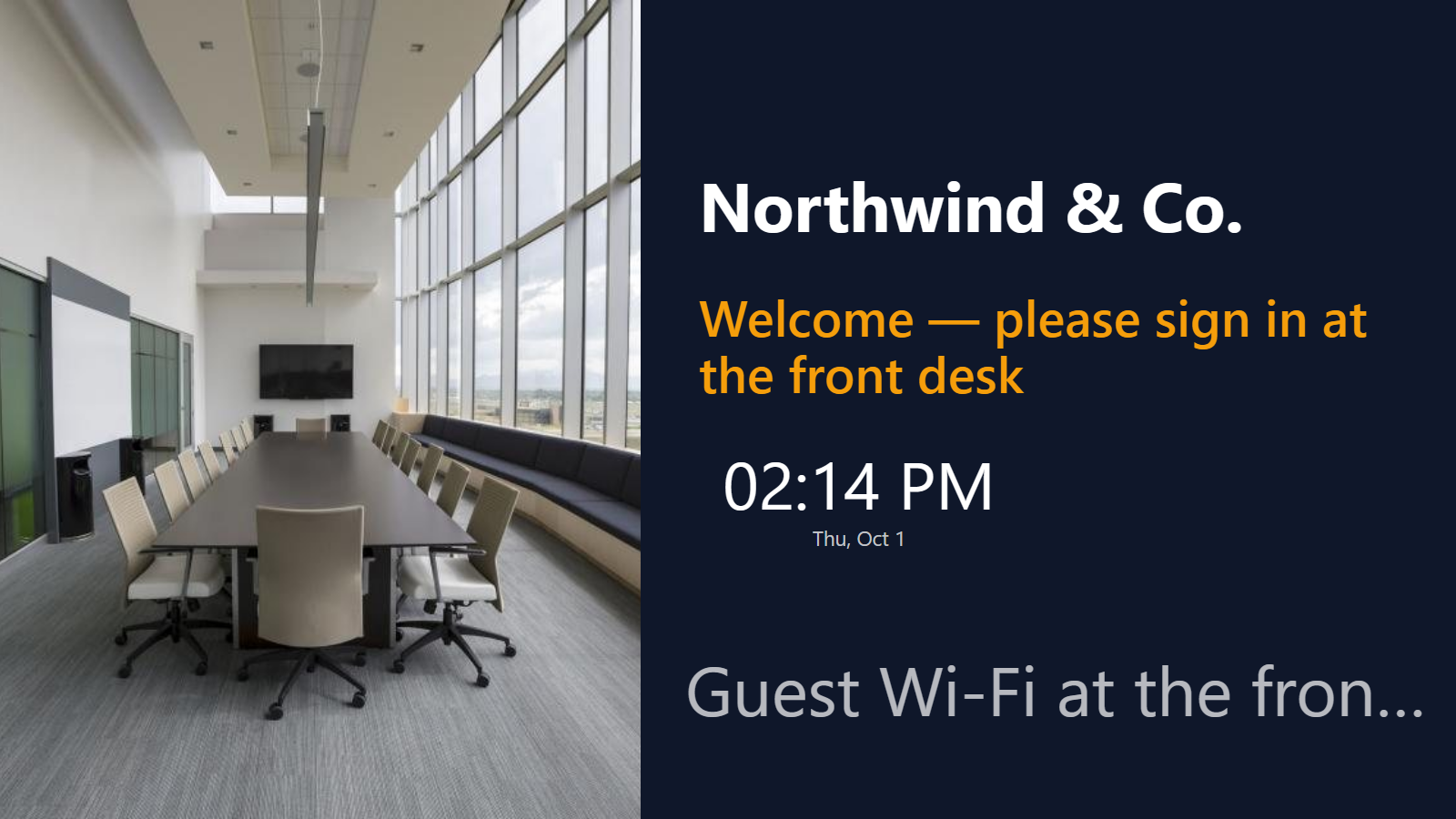
A reception screen that does more than say “Welcome.”
The TV in most office lobbies is either off or showing a logo on a loop. It could be doing real work: greeting the visitors you’re expecting, showing the day’s weather and wifi code, posting a live company number the team is proud of, and pointing people to the right floor. PingBell turns the reception screen into a rotating channel you build in minutes and update from your desk.
No dedicated player and no IT ticket. Install a native app on the TV you already have and cast a channel to it.
Who this is for
- Offices and HQs welcoming visitors and surfacing company milestones.
- Coworking spaces rotating events, room availability, and member news on a lobby screen.
- Agencies and studios that want a polished, on-brand reception loop.
- Clinics and professional offices posting hours, directions, and waiting-room info.
- Showrooms and building lobbies that need clear, current wayfinding.
How PingBell solves it
Welcome panels. Upload your brand artwork as a background and add a marquee for the line that changes — “Welcome, Acme Corp” or “All-hands at 3 PM in the atrium.” Build a clean, professional slide without a design team.
A channel that rotates. Sequence panels into a channel that cycles: a welcome slide, a company stat, the weather, then directions. Set a dwell time per slide so each gets its moment.
Live company stats, if you want them. Add a counter block and connect a source — Stripe, Shopify, a webhook, or one of 9,000+ apps via Zapier — to show a real, updating number on the wall (“Signups this month,” “Tickets resolved today”). The counter block is included on every plan; the live data is optional.
Native TV apps. Install PingBell on Apple TV, Fire TV, Android TV, or Roku from the device’s app store — it shows a short pairing code. Enter it on the Screens page at my.pingbell.io (or scan the QR). The TV you already have is enough.
Update from your desk. Edit panels and reorder the channel in the PingBell web app on a computer, and the lobby screen updates live — no walking out to the TV.
Pair the TVs you already own. One reception TV or a screen on every floor — pricing is per workspace.
Setup in 10 minutes
- Build your panels. Upload background images and add blocks — a marquee for announcements, a clock, the weather.
- (Optional) add a live stat. Drop a counter on a panel and connect a source so it updates on its own.
- Sequence them into a channel and set how long each slide holds.
- Pair the lobby TV — the TV app shows a short pairing code. Enter it on the Screens page at my.pingbell.io (or scan the QR).
- Cast the channel. Update messages anytime from the web app.
Pricing for this use case
A single reception channel fits on the Plus plan at $50/mo (billed annually; $75 month-to-month) — one rotating channel, plus the marquee, clock, and weather blocks. Companies running different channels across multiple lobbies or floors want Team at $200/mo (billed annually; $300 month-to-month) with unlimited channels. A single templated welcome board can run on Core at $20/mo (billed annually; $30 month-to-month).
you can pair up to 50 screens on Plus and 200 on Team, every native TV and mobile app. See the full pricing page.
FAQ
Can it show a live company metric?
Yes. Add a counter block and connect a source — Stripe, Shopify, a webhook, or 9,000+ apps via Zapier — to display a number that updates itself. The counter block is on every plan.
Can it rotate through several messages?
Yes. Sequence panels into a channel that rotates on a timer, with a dwell time per slide. Plus includes one channel; Pro includes unlimited channels.
Do visitors need to install anything?
No. It’s just a screen — guests see the loop on the TV, nothing to download.
Can I update it without going to the TV?
Yes. Edit panels and the channel in the PingBell web app on a computer, and the lobby screen updates live. (Editing happens in the web app, not the phone or tablet apps.)
How many screens can I run?
As many as you like. You can pair up to 50 screens on Plus and 200 on Team.
Get started
Start a free 7-day trial. Build a reception channel, pair the lobby TV, and give the front desk a screen that earns its spot on the wall.