
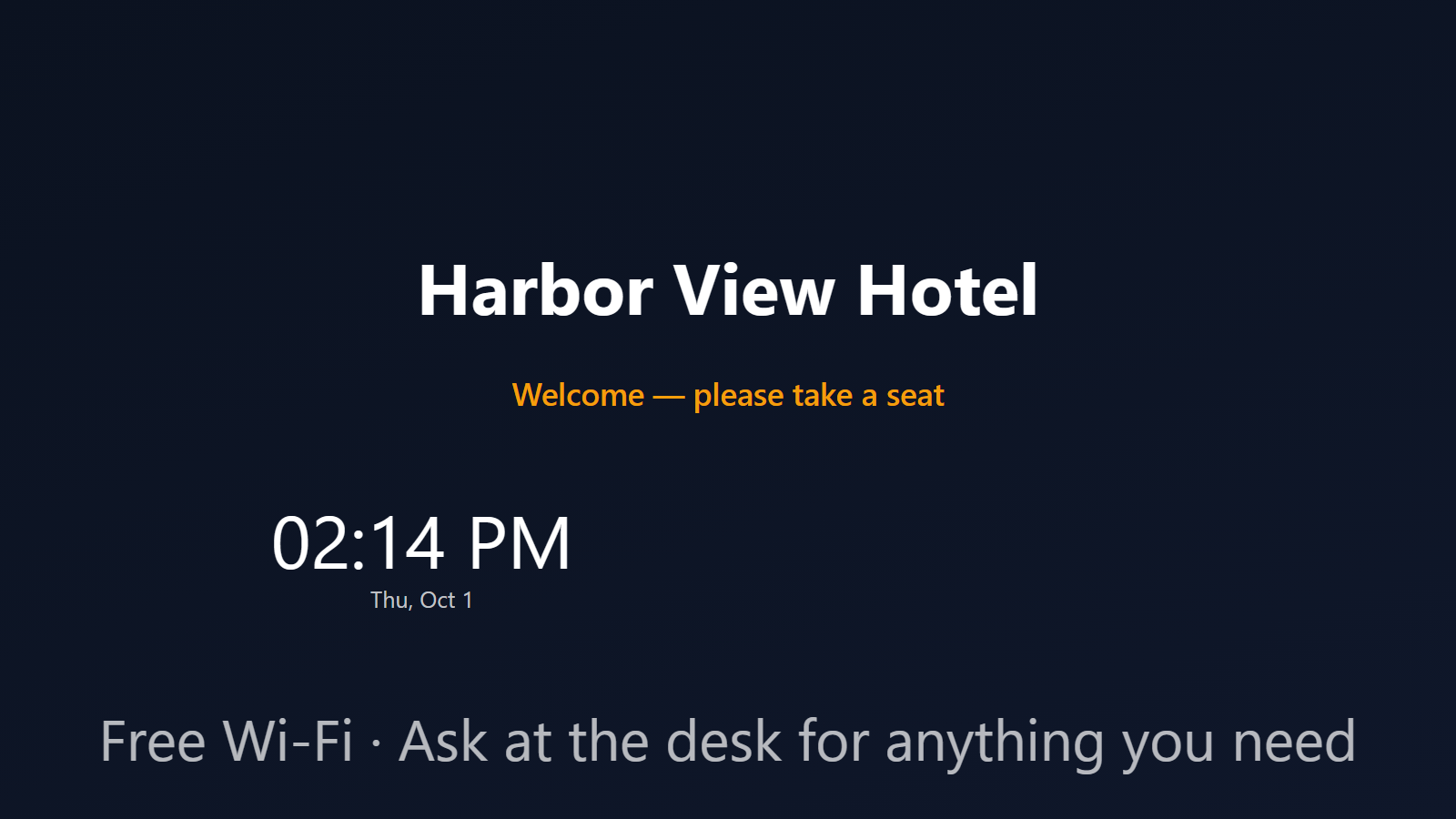
Turn every TV in your hotel into dynamic signage.
A hotel is a building full of screens that mostly sit dark or stuck on a cable channel. The lobby could be welcoming arrivals. The pool deck could show hours and today’s weather. The spa could run a calm loop of treatments. The restaurant could post tonight’s specials, and the bar could push happy hour. PingBell turns each of those into its own rotating channel — built in minutes, cast from a native TV app, and updated from one place.
No media players to buy, no PC wired behind the TV, no agency on retainer. Use the smart TVs or streaming sticks you already have, and pay nothing per screen.
Who this is for
- Boutique hotels and inns that want a polished lobby without a signage budget.
- Resorts with distinct zones — pool, spa, restaurant, bar, conference — each needing its own messages.
- Bed & breakfasts and serviced apartments running a single welcoming lobby screen.
- Hostels posting events, house rules, and local tips on a common-room TV.
- Spas and wellness centers that want a quiet, on-brand loop instead of a blank monitor.
How PingBell solves it
A channel per zone. Build a board for each thing you want to show, then sequence them into a channel with a dwell time per slide. The lobby channel might rotate a welcome message, checkout time, and the weather; the pool channel rotates hours, towel policy, and the afternoon forecast. Cast the right channel to the right screens.
Start from an image. Upload the branded artwork or photography you already have as a full-screen background — no design tools required. A single image is already a finished slide; layer blocks on top only where it helps.
Blocks that earn their place. Drop on a clock, a live weather block set to your location, or a scrolling marquee for announcements (“Live music in the lounge, 8 PM”). These are included on the Plus and Pro plans.
Native TV apps. Install PingBell on Apple TV, Amazon Fire TV, Android TV, or Roku straight from the device’s app store — the same way you’d install Netflix. The TV app shows a short pairing code; enter it on the Screens page at my.pingbell.io (or scan the QR). That’s the whole hardware story.
Update from one place. Edit a board or reorder a channel in the PingBell web app on a computer, and every paired screen updates live — no walking the property with a ladder and a USB stick.
Pair the TVs you already own. Pair every TV in the building — pair up to 50 on Plus, 200 on Team. Pricing is per workspace, so a 40-room resort pays the same as a 6-room inn.
Setup in 10 minutes
- Build your boards. Upload a background image for each, then add blocks — a clock, weather, or a marquee — where you want them.
- Group them into a channel per zone. Set how long each slide holds before the channel advances.
- Install the TV app on a streaming stick or smart TV in each area (Apple TV, Fire TV, Android TV, or Roku).
- Pair each screen. Open the TV app — it shows a short pairing code. Enter it on the Screens page at my.pingbell.io (or scan the QR).
- Cast the right channel to each screen. Update anytime from the web app — every paired TV follows live.
Pricing for this use case
A hotel running several zones — lobby, pool, spa, restaurant, bar — wants the Team at $200/mo (billed annually), which includes unlimited channels and playlists so every area gets its own loop. A property running a single welcome channel fits on Plus at $50/mo (billed annually; $75 month-to-month) (one channel, plus the Clock, Weather, and Marquee blocks). A one-screen static lobby board can start on Core at $20/mo (billed annually; $30 month-to-month).
Every plan includes unlimited boards, the full designer and every integration. Plus and Team add screens that run on their own — pair up to 50 on Plus and 200 on Team. See the full pricing page.
FAQ
Do I need special signage hardware?
No. PingBell ships native apps for Apple TV, Fire TV, Android TV, and Roku. If you have a smart TV or a streaming stick in a drawer, you’re most of the way there — install the app, then enter its short pairing code on your Screens page (or scan the QR).
How many TVs can I run?
As many as you like. You can pair up to 50 screens on Plus and 200 on Team, so adding another TV never changes the price.
Can each area show something different?
Yes. Build one channel per zone and cast it only to that zone’s screens. The pool TVs show the pool channel; the restaurant TVs show the restaurant channel.
Can it show the time and local weather?
Yes. The clock and weather blocks are included on Plus and Pro, and the weather block is set to your property’s location.
Can I update everything without visiting each TV?
Yes. You edit boards and channels in the PingBell web app on a computer, and every paired screen updates live. (Editing is done in the web app, not the phone or tablet apps.)
Does it need to connect to our PMS or booking system?
No. This is signage — it works with zero data sources connected. If you later want a live number on screen (say, a “guests served this week” counter), you can feed one in through a webhook or Zapier, but nothing about the lobby loop requires it.
Get started
Start a free 7-day trial. Build a channel, pair the lobby TV, and put something worth looking at on every screen in the building.