
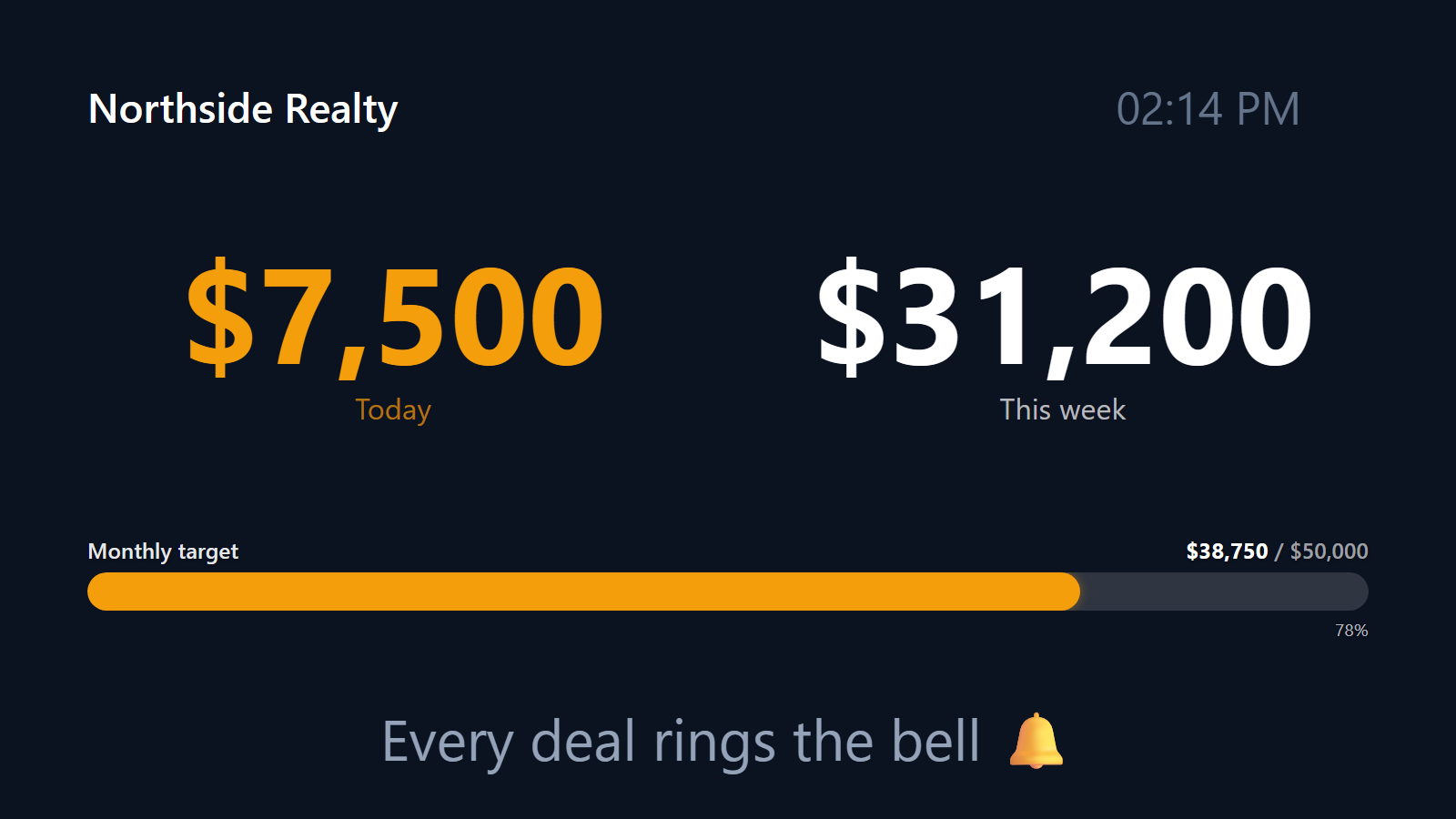
Every deal closed, on the office TV, in real time.
Real estate brokerages run on a specific rhythm: closings happen sporadically, but when one happens it’s the event of the day. Most offices still announce closings through a Slack channel or a group text. The team-wide energy is muted. The big number is on a whiteboard the managing broker updates weekly.
PingBell flips that. A live TV in the office lobby or break room showing deals closed this month, climbing toward the quarterly goal. A push notification with a custom sound on every agent’s phone the moment a deal closes. The celebration becomes part of the office culture, without anyone having to remember to post in Slack.
Who this is for
- Real estate brokerages with 5-100 agents who want a live team dashboard on the office wall.
- Single-team lead-and-agent teams inside larger brokerages tracking their own performance.
- Property management companies tracking new leases signed.
- Commercial real estate teams tracking closings, LOIs, and new listings.
- Real estate investment firms tracking acquisitions and dispositions.
How PingBell solves it
A live counter on the lobby TV. “Deals closed — Q2 2026” climbs in real time as agents close. The big number is visible from across the office, all day.
Connects to your real-estate CRM. Follow Up Boss, kvCORE, Top Producer, Wise Agent, Lion Desk, HubSpot, Salesforce — whichever you use, route the “deal closed” event into PingBell through Zapier, Make, or the CRM’s own webhook action. The trigger is “Deal stage changed to Closed-Won” (or your CRM’s equivalent).
Push on close. Every agent’s phone hears the same sound the moment a closing fires. Creates the cheer-for-the-room dynamic without anyone having to manually post.
Thermometer for quarterly goals. Set the office’s quarterly deals-closed or volume-closed goal. The TV displays progress as a fill bar. The team watches it fill week by week.
Volume vs. count views. Run separate counters for “deals closed” (count) and “volume closed” ($). Most offices display both on a TV rotation.
Split out by team / region. Brokerages with multiple teams or regional offices can run per-team counters plus a rolled-up office total.
Setup in 5 minutes
- Create the counter. “Deals closed — Q2 2026”. Set aggregation (count or sum-volume) and reset to quarterly.
- Connect the CRM. Use Zapier, Make, or your CRM’s webhook action. The trigger is “Deal stage changed to Closed-Won”.
- Pick a sound. A literal bell for closes is the cliché that works.
- Pair the office TV. Install the PingBell TV app — it shows a short pairing code. Enter it on the Screens page at my.pingbell.io (or scan the QR) and cast the board.
- Invite agents. Each agent installs the mobile app and signs in to receive push notifications.
Pricing for this use case
Single-team real estate operations: Plus at $50/mo (billed annually; $75 month-to-month) covers one operator with up to 50 paired screens — and anyone watching the office TV is never a billed seat. Brokerages where several people need to run the boards themselves land on Team at $200/mo (billed annually; $300 month-to-month), which covers five. Every agent getting the push on their own phone, at scale, is a Custom conversation.
See pricing.
FAQ
Does it work with Follow Up Boss / kvCORE / Top Producer?
Yes — through Zapier or those tools’ built-in webhook automations.
Can I track dollar volume instead of deal count?
Yes. POST sale_price (or your CRM’s equivalent field) and sum it instead of counting. Most offices run both as separate counters.
Can I exclude rentals from a sales-only counter?
Yes. Filter the trigger to specific deal types in your CRM, or run rentals on their own counter.
Does it work for commercial and residential side by side?
Yes. Separate counters per segment, rolled up into a total. Many offices run commercial and residential as parallel counters on a rotating TV view.
Can I show monthly and quarterly simultaneously?
Yes. Two counters with different reset periods, same data source. Display both on the TV rotation.
Does it integrate with MLS?
Not directly (MLSes don’t expose real-time APIs for agent-level events). Connection is through your brokerage CRM, which is where deal-stage events actually live.
Do you support per-agent leaderboards?
Not yet — today PingBell counters show a single team-wide total. Per-agent grouping is on our roadmap; in the meantime, a small team can run separate counters per agent if individual visibility matters.
Get started
Start a free 7-day trial. Connect your CRM. Plug in the office TV. The next closing will feel like the event it actually is.