
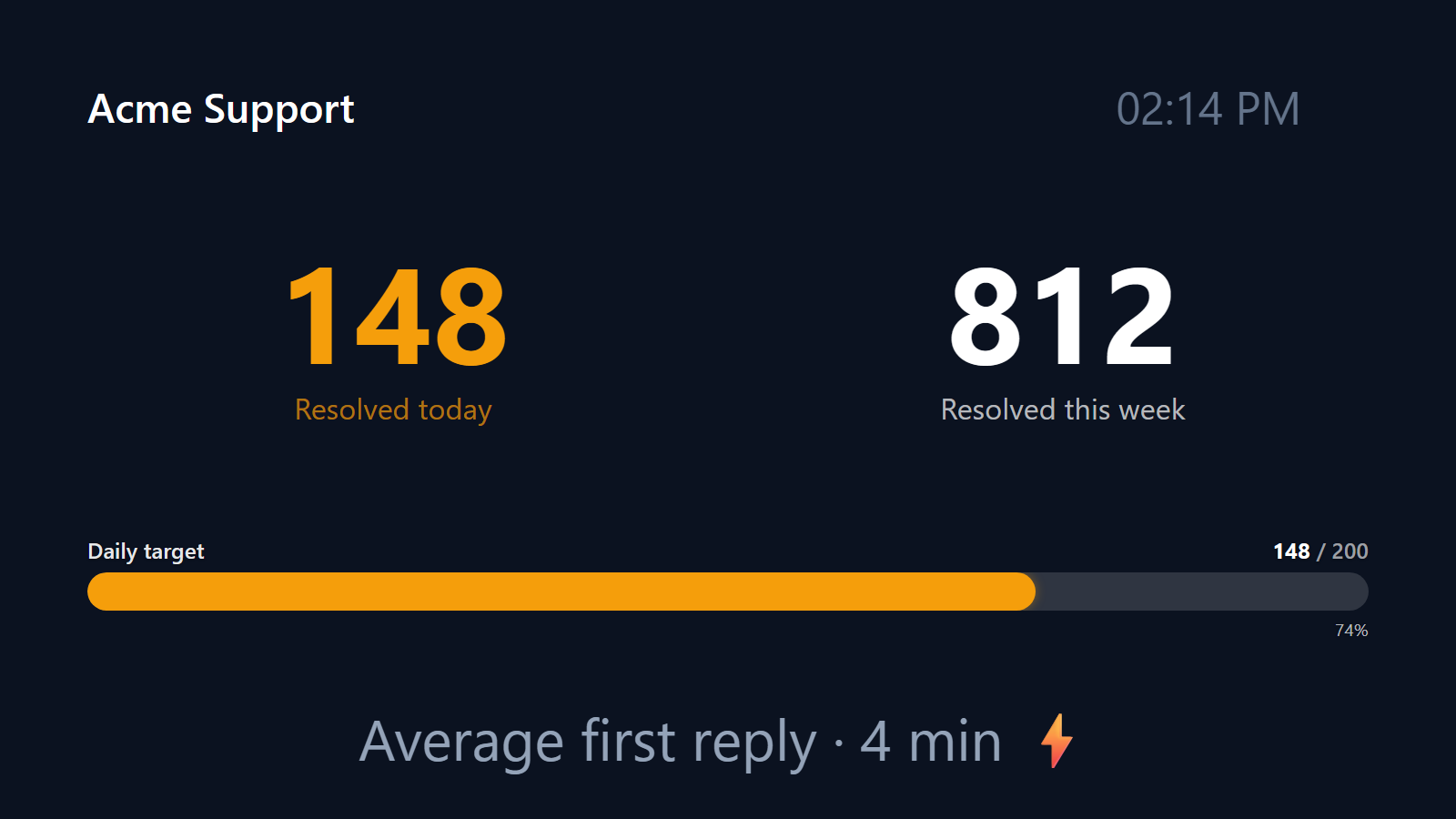
Make every customer answered a moment the team can feel.
Support is the work that compounds quietly. Forty tickets answered today, fifty tomorrow, sixty the day after — none of it shows up anywhere the team can see in real time. The dashboard updates overnight. The Monday standup reads numbers that already feel old. The team that did the work doesn’t get to feel the wins as they happen.
PingBell makes them visible. Every closed ticket, every resolved chat, every “thanks, that fixed it” lands on a counter on the team TV. The number ticks up live. The team feels the streak. The day acquires a rhythm.
Who this is for
- Customer support teams on Zendesk, Intercom, Help Scout, Front, Freshdesk, or HubSpot Service.
- Customer success teams tracking proactive outreach completed.
- Trust & safety teams counting reports reviewed and resolved.
- Multi-tier support orgs with separate L1, L2, and engineering escalation queues.
- In-house IT helpdesks at larger companies running internal support.
How PingBell solves it
Connect your support tool. Zendesk, Intercom, Help Scout, Front, Freshdesk, HubSpot Service Hub, Crisp, LiveChat, Tidio — every modern support tool either has a direct webhook for “ticket resolved” events or a Zapier integration. PingBell counts each resolution event in real time.
Daily, weekly, or shift-based counters. Reset daily so each day starts fresh. Reset weekly for sprint-style support cadence. Reset on shift change for 24/7 ops.
CSAT-filtered counters. Don’t just count tickets — count satisfied tickets. If your tool tags resolutions with CSAT scores, filter the counter to count only positive resolutions.
Goal lines and milestones. Set a daily team goal (e.g., 200 resolutions). The counter shows progress toward it. Hitting it triggers a celebration on the screen and a sound the team comes to recognize.
Setup in 5 minutes
- Create a counter. Name it (“Tickets resolved today” or “Customer wins this week”), pick the metric, set a goal.
- Connect it to a source. Direct webhook from Zendesk, Intercom, Help Scout, or Front. Or use Zapier with your support tool’s “Ticket Closed” trigger.
- Install the PingBell mobile and TV apps. iOS, Android, Apple TV, Fire TV, Android TV, or Roku.
- Pair the screen. Open the TV app on the support team’s screen — it shows a short pairing code. Enter it on the Screens page at my.pingbell.io (or scan the QR).
- Cast the board. Watch the wins stack.
Pricing for this use case
A single support team fits on the Plus plan at $50/mo (billed annually; $75 month-to-month) (up to 50 paired screens, one rotating channel). Larger support orgs showing different queues / tiers / regions on different screens: Team at $200/mo (billed annually; $300 month-to-month) with unlimited channels and a team of five.
See full pricing.
FAQ
Which support platforms are supported?
Direct webhook support: Zendesk, Intercom, Help Scout, Front, Freshdesk, HubSpot Service. Via Zapier: Crisp, LiveChat, Tidio, Drift, Olark, Re:amaze, Gorgias, Kustomer, and most others. Custom in-house: POST to PingBell’s webhook from your ticket-close handler.
Can I count first-response speed instead of resolutions?
Yes — different metric, same setup. Pipe “first response sent” events instead of “ticket resolved” events. Or run both counters side-by-side.
What about tickets that get reopened?
Configure the counter to either decrement on reopen (stricter), or stay locked once a ticket has been closed at least once (looser). Most teams use the stricter mode.
Can I separate channel-specific counters (chat vs. email vs. phone)?
Yes. Filter on channel field in the source webhook. Run “Chat resolutions today”, “Email resolutions today”, and “Phone calls resolved today” as separate counters or one combined.
Customer satisfaction in the same counter?
Run two counters: total resolutions, and CSAT-filtered (≥4 stars) resolutions. The gap between them is your team’s satisfaction rate, visible at a glance.
Get started
Start a free 7-day trial. Connect your support tool. Pair the team TV. The next ticket your team closes will land on the wall.