
In September 2026 Shopify released Shopcast, an Apple TV app that shows a store’s sales on a TV. If you run a Shopify store and want your numbers on the wall, you now have two ways to do it: Shopcast, or PingBell for Shopify, which puts Shopify sales on TVs, phones and websites.
This post compares the two side by side, so you can see which one fits the screens in your store, warehouse or office.
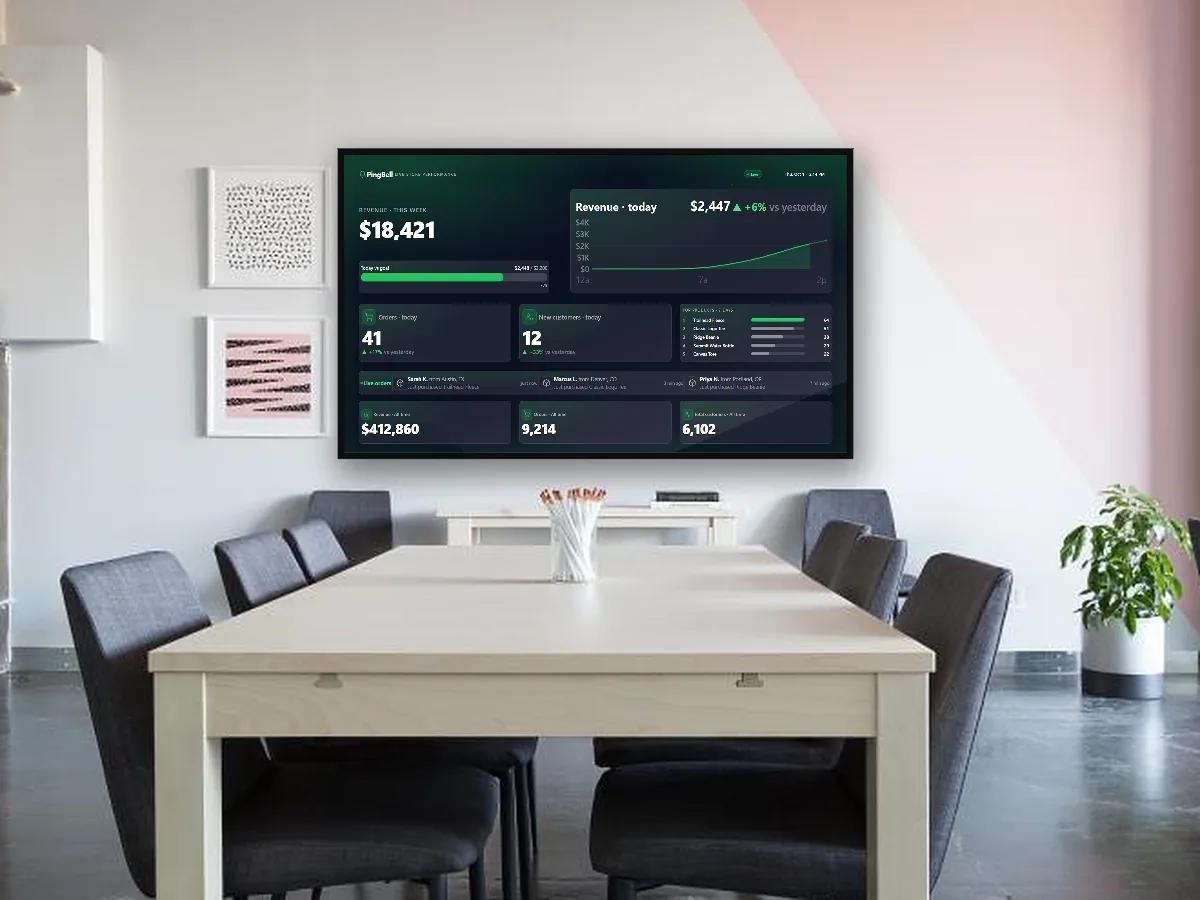
Shopcast vs PingBell at a glance
| Shopcast | PingBell for Shopify | |
|---|---|---|
| Made by | Shopify | PingBell |
| TVs it runs on | Apple TV only (tvOS 18 or later) | Roku, Fire TV, Apple TV, Android TV and Google TV, any smart TV or monitor with a web browser, and Chrome |
| Phones | — | iPhone and Android apps, with a push notification for every order |
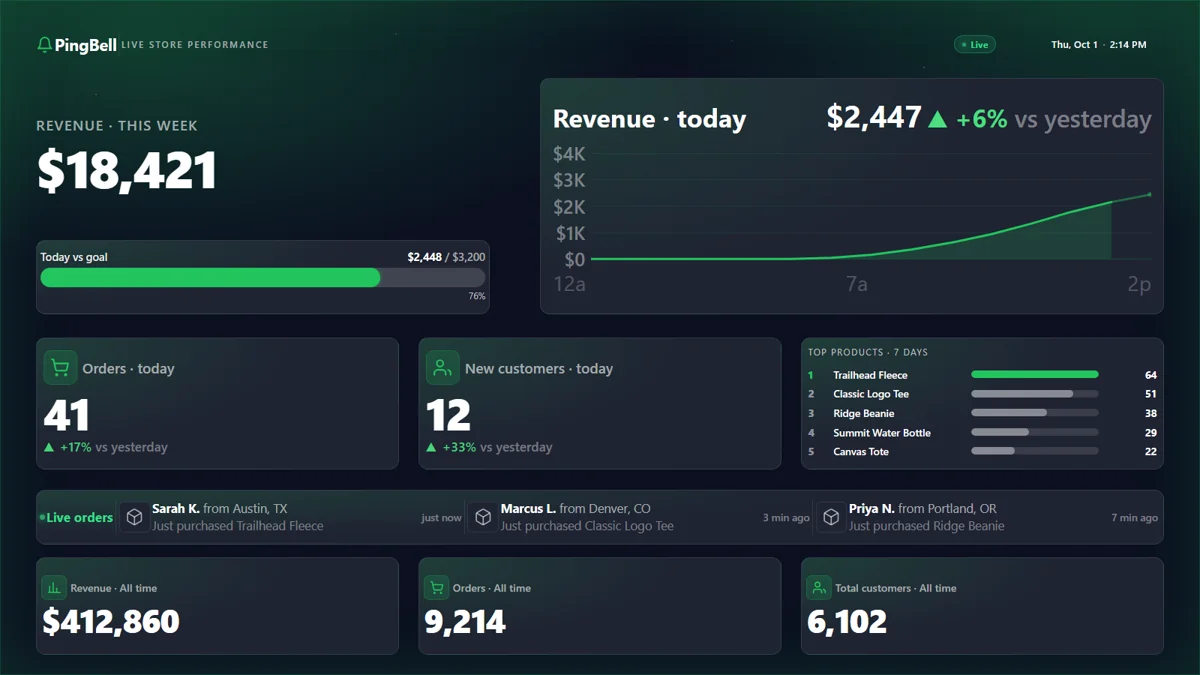
| Live sales numbers | ✓ Sales, orders, units sold, average order value | ✓ Revenue, orders, new customers, today vs yesterday, goal progress, top products, all-time totals |
| Buyer map | ✓ A globe of buyer locations | City and state in the live order feed |
| Online vs in-store (POS) | ✓ | — |
| Design your own board | — | ✓ Layout, colors, logo, fonts, backgrounds, or bring a design from Canva |
| Other content on the same TV | — | ✓ Holiday countdowns, menus, promotions, announcements, video |
| Rotate several boards on one TV | — | ✓ Channels |
| Different boards on different screens | — | ✓ |
| Other apps | Shopify only | Shopify plus Stripe, WooCommerce, Square, QuickBooks, Google Sheets, Zapier, Make and dozens more |
| Put the numbers on your website | — | ✓ Embeddable counters |
| Price | Free | Free inside the Shopify admin; TVs and phones on a paid plan, with a 7-day free trial |
Shopcast details are from the App Store listing and Shopify’s launch coverage as of November 2026.
Why PingBell for Shopify is built for the wall
It works on the TV you already have
Most stores don’t have an Apple TV behind the counter. They have a Fire TV stick in the break room, a Roku on the warehouse TV, a smart TV in the office, or a monitor plugged into an old laptop. PingBell runs on all of them: the free TV app on Roku, Fire TV, Apple TV, Android TV and Google TV, or my.pingbell.io/pair in any browser. Pair a screen with a short code and your dashboard is up.
Every order is a moment, not just a number
A number that changes from 41 to 42 is easy to miss. On a PingBell board each new order rings the bell: a celebration on the TV, and the order slides into the live feed with the product and the city it’s going to (“Sarah K. from Austin, TX just purchased Trailhead Fleece”). Teams in fulfillment, support and marketing feel every sale as it lands. That’s the reason most stores put sales on a TV in the first place.
Today vs yesterday, measured fairly
The PingBell dashboard compares today with yesterday at the same time, not with all of yesterday, so the comparison doesn’t read as a 60% drop every morning. An hour-by-hour chart shows how today is shaping up.
Your store, your look
A sales dashboard is often the first thing customers or new hires see. With PingBell you set the layout, colors, fonts and background, add your logo, or design the whole board in Canva and bring it in. Want your goal for the day front and center, or just one giant revenue number? Build that.
One TV, many jobs
The TV that shows sales at 2 PM can show a holiday countdown, a promotion or a welcome message in between. Channels rotate several boards on one screen, and every screen can show something different: sales in the back office, the holiday sale countdown on the shop floor.
Your whole business, not just one storefront
Most merchants sell in more than one place. PingBell isn’t limited to Shopify: it also connects Stripe, WooCommerce, Square, QuickBooks, Google Sheets and anything you link with Zapier or Make, so the rest of your business can be on the wall too.
Your phone rings too
Away from the store? The PingBell phone app sends a push notification for every order, so you hear about sales wherever you are.
Which one should you choose?
Choose PingBell for Shopify if any of these are true:
- your store’s TV isn’t an Apple TV, or you have more than one kind of screen
- you want each sale celebrated on the screen as it happens
- you want the board to look like your brand
- you sell through more than Shopify, or want to see sales next to other numbers
- the same TV also needs to show promotions, countdowns or announcements
- you want order alerts on your phone
How to get your Shopify sales on a TV with PingBell
- Install PingBell from the Shopify App Store. Your store connects in one click, and your dashboard is built with your real orders on it.
- Open the free PingBell app on your TV, or my.pingbell.io/pair in the TV’s browser. It shows a short code.
- Type the code in the PingBell app in your Shopify admin. Your dashboard appears on the TV, and the next order rings the bell.
Frequently asked questions
Does PingBell work on Apple TV?
Yes. PingBell has a free Apple TV app, alongside Roku, Fire TV, Android TV and Google TV apps and the browser option.
Is PingBell free for Shopify stores?
The dashboard is free inside your Shopify admin. Putting it on TVs and getting order alerts on your phone takes a paid plan, which starts with a 7-day free trial through Shopify billing.